
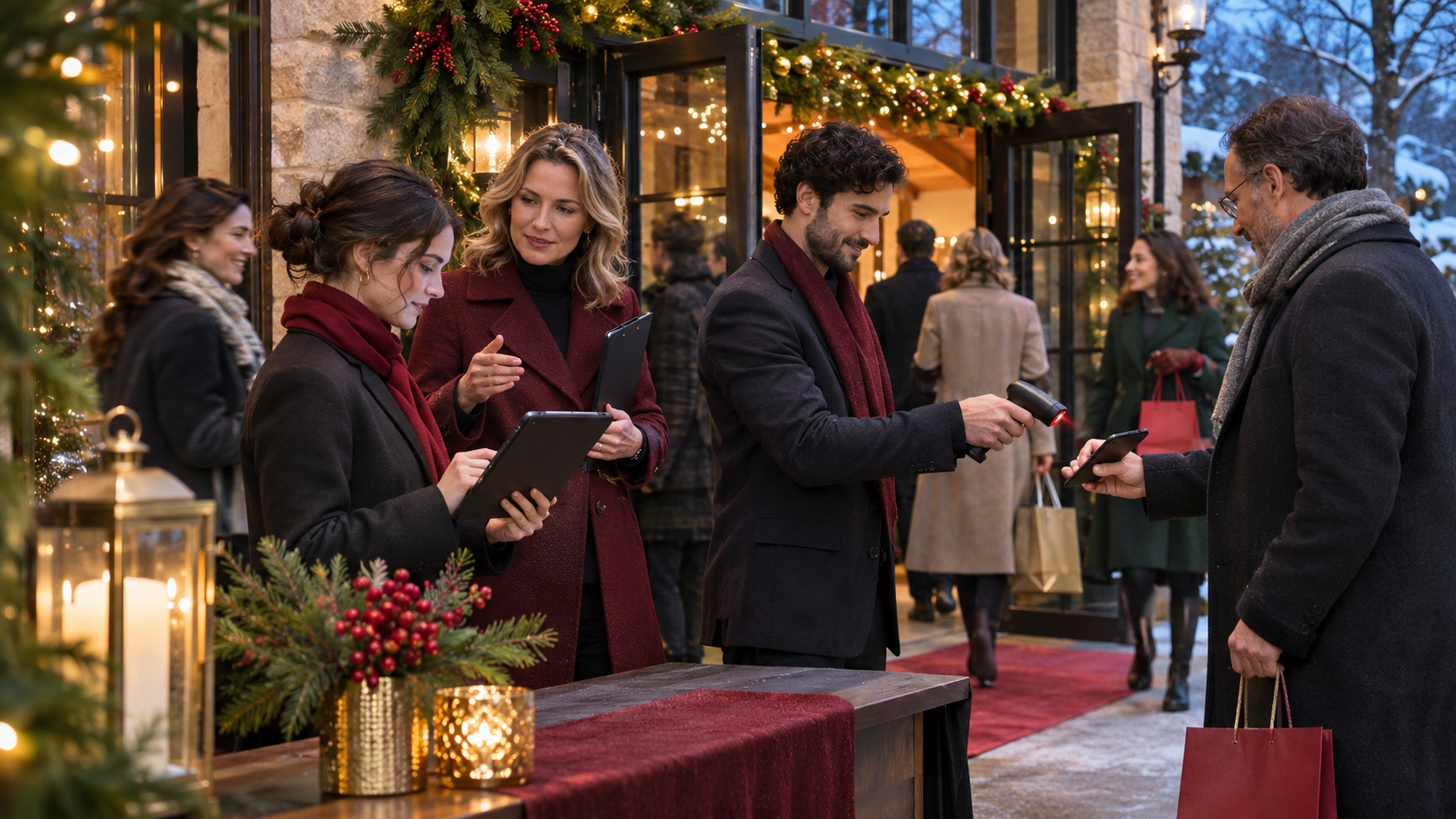
Christmas events tend to look festive on the surface and operationally intense underneath.
That is especially true when organisers are expected to deliver faster entry, better information, and more personalised experiences across busy seasonal schedules. For Christmas 2026, the practical event-tech conversation is likely to keep focusing on a few areas in particular: mobile event apps, AI-driven attendee support, and contactless check-in.
The opportunity is real, but so is the risk of adding too much complexity. Seasonal events often have short delivery windows, temporary staff, mixed audience types, and very little tolerance for confusion on the day.
The best Christmas event technology is not the most impressive setup. It is the setup that reduces friction for guests and workload for the team.
Why this matters for event operations
Holiday programmes often combine high attendance expectations with compressed planning and delivery.
That usually means organisers are trying to manage several pressures at once:
- shorter decision windows for attendees
- heavier arrival peaks at specific times
- more family groups, community audiences, or mixed-age visitors
- temporary staffing during busy seasonal periods
- more last-minute changes to schedules, weather plans, or access details
- higher expectations for convenience because guests are comparing the event to other consumer experiences
In that environment, event tech should solve practical bottlenecks first. It should help people arrive, find information, and move through the experience with less confusion.
What we can say, and what we cannot
The source idea behind this article points to a useful direction: Christmas 2026 planning is increasingly tied to experience design, attendee expectations, and operational use of event technology.
What that does not prove on its own is that every holiday event needs a large digital stack, or that attendees want the same level of technology in every setting.
A community light trail, a ticketed festive market, a corporate holiday party, and a large seasonal attraction do not operate the same way. The right question is not, “What tech is trending?” It is, “Which parts of this event need to work more reliably?”
Seasonal demand can make simple failures feel bigger. A slow queue or unclear message at a Christmas event affects the mood of the whole experience.
Start with the guest journey, not the tool list
Before selecting apps, check-in methods, or support automation, map the moments where guests typically need help.
For most Christmas events, those moments include:
- discovering the event and understanding what is included
- booking or registering
- receiving pre-event instructions
- arriving and entering smoothly
- finding activities, timings, or zones on site
- getting quick answers to common questions
- handling changes, delays, or weather-related updates
- leaving with a positive final impression
Once those moments are visible, it becomes easier to decide where technology genuinely helps and where printed signage, staff briefings, or simpler processes may still be the better option.
Where mobile apps can help most
For Christmas 2026, mobile event apps are likely to be most useful when they reduce repeated questions and make the on-site experience easier to navigate.
That can be especially helpful for larger venues, multi-zone attractions, timed-entry formats, and programmes with a lot of seasonal content.
Use the app as a live information layer
The strongest operational use for an event app is often not novelty. It is clarity.
A well-structured app can help guests access:
- entry times and booking details
- site maps or zone information
- schedules for performances or activities
- parking, transport, and accessibility guidance
- food, retail, or amenity information
- notifications about changes during the event
If your event team already knows that guests regularly ask the same questions, the app should be designed to answer those questions quickly.
Keep adoption expectations realistic
Not every attendee will download an app, especially at public seasonal events. That does not make the app useless. It means the app should support the event, not become the only path to basic information.
Critical details still need backup through email, signage, staff scripts, and the event website or landing page.
A good rule is simple: if the information is essential for entry or safety, do not place it in one channel only.
How AI assistants fit practically
AI assistants are often discussed in broad terms, but event teams should treat them as support tools for repetitive information handling.
At Christmas events, this can be valuable because guest questions tend to cluster around a predictable set of topics.
Focus on repetitive, low-risk queries
If an AI assistant is used, it should be aimed first at common operational questions such as:
- opening times
- entry slots
- directions and parking
- accessibility basics
- what to bring or wear
- refund or change policies, where clearly defined
- programme timings, where already confirmed
This can reduce pressure on inboxes, call handling, and frontline teams, especially close to the event when question volume rises.
Do not let automation become guesswork
Seasonal events change quickly. If timings shift, capacity changes, or weather affects the plan, inaccurate automated answers can create more work than they save.
That means any AI-based support needs clear source information, ownership, and update discipline. If your team cannot keep the underlying event information current, automated guest support is likely to become unreliable.
It also helps to define escalation rules. Some questions should go to a human straight away, especially where exceptions, complaints, or accessibility needs require care.
Why contactless check-in matters for Christmas events
Contactless check-in tends to be one of the clearest operational wins for busy seasonal events because arrival is where pressure becomes visible fast.
Queues shape first impressions. They also affect staffing, crowd flow, catering patterns, and the start time of the rest of the experience.
Use contactless entry to reduce queue friction
At a practical level, contactless check-in can help teams:
- process arrivals faster during peak windows
- reduce manual searching on guest lists
- handle timed entry more consistently
- support multiple entry points more cleanly
- improve visibility on attendance in real time
This matters even more when weather conditions, family groups, or high footfall make waiting harder for guests.
Plan for exception handling
No check-in setup is complete unless it includes a process for people whose booking, device, or confirmation details are not straightforward.
That usually means preparing for:
- guests with no phone battery
- name mismatches
- group bookings with partial arrival
- walk-up questions
- rebooked or transferred tickets
- VIP, sponsor, or staff access that follows a different rule
Fast entry only works if exception handling is also clear. Otherwise the main queue shrinks while a second queue forms at the help desk.
Five practical Christmas 2026 planning priorities
1. Design for arrival peaks
Christmas events often have narrow arrival windows. Map expected load by time slot, entrance, and audience type. Then decide what the check-in process needs to handle under pressure, not only in average conditions.
2. Put live information in one trusted place
Whether guests use an app, email, or web link, the event team needs one operational source for current details. Mixed versions of schedules and access guidance create avoidable confusion.
3. Reduce repetitive support before event day
If attendees keep asking the same pre-event questions, fix that before volume grows. Better FAQs, clearer booking confirmations, and well-scoped digital assistance can save significant staff time.
4. Keep the on-site flow visible to the team
Entry, attendance, and crowd movement should not be treated as separate concerns. Christmas events often succeed or fail on how well the team can see what is happening early enough to respond.
5. Build backup routes for every critical step
Digital does not remove the need for contingency planning. Print key lists where needed, brief staff on fallback scripts, and decide in advance how the event continues if connectivity, scanning, or guest communications become patchy.
A practical rollout sequence
If your team is planning a Christmas 2026 programme now, it helps to introduce event tech in an operational order rather than all at once.
- define the guest journey and identify friction points
- choose the core arrival and registration process
- decide what information guests need before, during, and after arrival
- configure app or mobile information flows around those needs
- use AI support only for question types your team can keep accurate
- test the exception cases, not just the ideal journey
- brief temporary staff using the same language guests will see
- run a live-day command plan for updates, delays, and queue response
This sequence keeps the emphasis on delivery, not just feature selection.
Questions worth asking before you add more technology
- What problem will this tool solve on event day?
- Who owns the information inside it?
- How quickly can it be updated if plans change?
- What happens if guests do not use it?
- What is the fallback if the process fails?
- Will temporary staff understand how to support it?
- Does it reduce admin, or create more of it?
If those questions are hard to answer, the setup may not be operationally mature enough yet.
Where teams should be careful
Christmas events can be tempting environments for adding extra digital layers because the experience is highly visual and commercially important. But teams should be careful not to let presentation outrun operations.
Common mistakes include:
- launching an app without keeping content current
- using automated support without clear escalation
- assuming contactless check-in removes the need for trained staff
- making essential event information app-only
- underestimating group, family, and accessibility needs at entry
- testing the happy path but not the real-world exceptions
Seasonal events do not need more complication. They need cleaner execution.
What good looks like
A well-run Christmas 2026 event should feel easy from the guest side.
People know where to go, how to get in, where to find updates, and how to get answers quickly. Staff know which system to trust, how to handle exceptions, and how to keep queues and communications under control.
The technology may be visible, but the operations should feel almost invisible.
What this means for event teams
For Christmas 2026, mobile apps, AI assistants, and contactless check-in are best treated as practical tools for reducing friction, not as standalone attractions.
If organisers start with the real guest journey, keep information accurate, and plan for exceptions as carefully as the main flow, event tech can strengthen both the festive experience and the operational model behind it.
That is the standard worth aiming for: not more technology for its own sake, but smoother seasonal delivery when event pressure is at its highest.