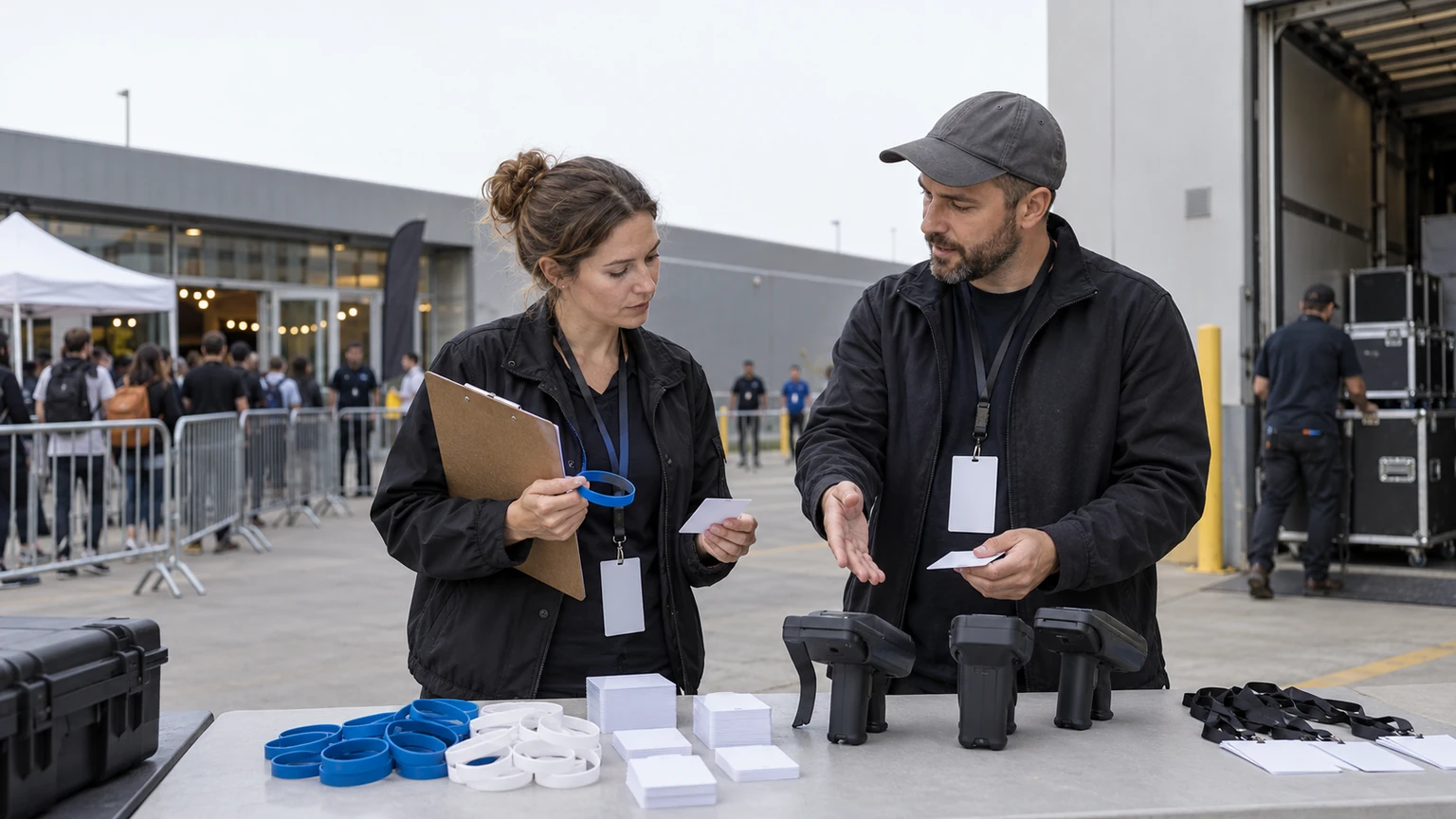
RFID gets a lot of attention in event technology because it promises speed, control, and better on-site visibility.
For mid-sized events, the real question is simpler: which RFID setup actually helps operations, and which one adds cost and complexity without solving the right problem?
The source signal behind this topic is useful but limited. Campaign UK highlights leading RFID technologies in event tech and points to current applications and implications for organizers. That supports a practical buying and planning discussion.
It does not give us a full deployment case study, a universal vendor comparison, or proof that one RFID model fits every event.
Good RFID selection starts with the operational bottleneck, not the badge, wristband, or reader.
Why this matters for mid-sized event teams
Mid-sized events often sit in the hardest planning zone.
They are large enough for manual processes to break under pressure, but not always large enough to absorb an overbuilt technology rollout.
That is why RFID decisions need to be tied to specific workflows such as:
- faster check-in and reduced queue pressure
- access control for staff, VIP, exhibitors, or restricted zones
- cashless or transaction-linked experiences, where relevant
- session or area tracking for operational insight
- credential validation across multiple entrances
- smoother sponsor activations or attendee touchpoints
If you cannot name the workflow you are trying to improve, it is too early to choose the technology.
What the public signal tells us, and what it does not
From the source idea provided, the confirmed signal is straightforward: RFID remains a relevant event technology category, with multiple forms and practical uses that organizers should understand.
That is enough to support a checklist for selection and planning.
What this does not confirm on its own is:
- which RFID format is best for your event type
- which supplier, platform, or hardware stack you should buy
- what budget range applies across all events
- whether RFID should replace every barcode or QR-based workflow
- what measurable ROI any one organizer achieved
- how a specific deployment was staffed or integrated on site
That distinction matters. RFID can be valuable, but selection should follow operating needs, venue realities, and team readiness.
RFID is not a strategy on its own. It is an operating tool that works only when the surrounding process is clear.
Where RFID usually helps most
1. High-volume ingress
If your event has compressed arrival windows, repeat scans, or multiple access points, RFID can help reduce friction at the front door.
This matters most when queue length, scan speed, and exception handling already create visible pressure.
2. Multi-zone access control
Many mid-sized events have layered access needs: backstage, VIP lounges, exhibitor halls, production areas, speaker rooms, or staff-only spaces.
RFID can make those checks more consistent when compared with visual credential checks alone.
3. Repeat-touch attendee journeys
If attendees need to move through several checkpoints during the day, RFID may support a cleaner experience than repeated manual verification.
Examples include workshops, premium experiences, hosted buyer areas, or controlled hospitality zones.
4. Sponsor or activation measurement
Some organizers look at RFID because sponsors want more evidence of engagement.
That can be a valid use case, but only if the event team is clear about what is being measured, how data will be collected, and whether the process will be understandable on site.
Where mid-sized events often get the decision wrong
1. They buy for the headline use case, not the main pain point
A team may be attracted to advanced features when the actual problem is simpler, such as slow badge pickup or unclear access permissions.
In that case, the smarter decision may be a more focused setup.
2. They underestimate on-site operational design
RFID is not just a chip decision. It affects credential design, distribution, scanning points, staffing, fallback procedures, and attendee instructions.
If those pieces are weak, the technology will not feel smooth.
3. They ignore exception handling
Every event has damaged credentials, unregistered guests, duplicate badges, access disputes, and late changes.
If your RFID plan works only for the ideal attendee, it is not ready.
4. They add too much at once
Mid-sized events often get better results by applying RFID to one or two high-friction workflows first, then expanding later if the use case is proven.
A practical RFID selection checklist
1. Define the operational problem first
Start with the exact issue you want to improve.
- Are entry queues too long?
- Are staff manually checking access in too many places?
- Do sponsors need clearer engagement reporting?
- Are attendees moving through multiple controlled spaces?
- Is credential misuse a real concern?
If the answer is vague, the technology decision will be vague too.
2. Map every scan or touchpoint
Before you evaluate formats or suppliers, list where RFID would actually be used.
- main entrance
- VIP or hospitality entry
- speaker and staff zones
- session rooms
- exhibitor or sponsor activations
- load-in or contractor checkpoints
This helps you estimate device count, staffing, credential rules, and likely congestion points.
3. Decide whether speed or control matters more
Some events need maximum throughput. Others need stricter access validation.
Your selection criteria should reflect that difference. A setup optimized for quick entry may not be the same one you want for restricted-area control.
4. Review credential format in operational terms
Think about how the attendee will carry or present the credential.
- Will it be worn all day?
- Is it suitable for the audience and event style?
- Will staff be able to recognize role types visually as well?
- How easy is replacement if the credential is lost or damaged?
This sounds basic, but poor credential handling can cancel out the benefit of the RFID layer.
5. Check venue realities early
Walk the venue workflow before committing.
Review entrances, choke points, staffing positions, power, weather exposure if relevant, and how attendees actually move through the site.
A technically sound plan can still fail if the physical flow is wrong.
6. Plan exception handling before event day
Your team should know what happens when:
- a badge or wristband does not scan
- an attendee is at the wrong entrance
- someone needs an access upgrade
- a sponsor guest arrives unlisted
- a staff member needs urgent replacement credentials
Exception volume is often what determines whether front-of-house feels under control.
7. Ask what data you truly need
More data is not always more useful.
For a mid-sized event, the most valuable reporting may be simple:
- entry volumes by time window
- zone access counts
- attendance confirmation for selected sessions or areas
- activation participation totals
If the reporting requirement is unclear, avoid designing a larger RFID program around assumptions.
8. Keep fallback options simple
Every RFID deployment needs a practical backup process.
That may include manual lookup, visual verification, reprint or replacement procedures, supervisor escalation, and a defined process for keeping queues moving during a device issue.
The fallback plan should be short enough for temporary staff to follow under pressure.
9. Test with event-day staffing in mind
Do not test only with the tech team or supplier.
Test with the people who will actually run entry, troubleshoot guest issues, and manage access decisions on the day.
If they do not understand the workflow quickly, attendees will feel that confusion immediately.
10. Start with a scoped rollout if needed
You do not have to deploy RFID across the entire event in one phase.
For many mid-sized organizers, a focused rollout is safer and more useful.
- RFID for VIP and staff access only
- RFID at main entry but not every room
- RFID for one sponsored activation or premium zone
- RFID for exhibitor and contractor control behind the scenes
A narrower deployment can still deliver operational value while reducing rollout risk.
Questions to ask internally before selecting RFID
- What problem are we solving that current credentials do not solve well enough?
- Where will RFID reduce labor, delay, or confusion?
- Which attendee groups need different access rules?
- How many scan points will we realistically operate?
- What happens when credentials fail, change, or go missing?
- What data will operations, sponsors, or stakeholders actually use afterward?
- Can our team support this on site without depending on improvised workarounds?
Questions to ask potential vendors or partners
Even without assuming any specific platform features, organizers should ask practical operational questions.
- What event sizes and use cases is this setup best suited for?
- What does deployment require on site?
- How are replacements and access changes handled during live operations?
- What staffing assumptions should we plan for?
- What reporting is available, and when?
- What are the recommended fallback procedures?
- What should we test before doors open?
The best conversation is rarely about the most impressive demo. It is about whether the system can survive live-event exceptions.
What this means for event teams
RFID can be a strong operational choice for mid-sized events, especially where entry speed, access control, or repeated credential checks are creating friction.
But the right selection process is disciplined. Define the pressure point. Map the workflow. Limit the scope if needed. Design for exceptions. Test with real staff. Keep reporting tied to real decisions.
For most organizers, that approach matters more than choosing the most advanced-sounding option.
In practical event operations, the best RFID system is usually the one that makes the day simpler, not the one that sounds bigger in a planning meeting.