Ticketing and registration are your primary needs, you organize workshops, webinars, or simple public events, and you want a familiar registration workflow.
Back to comparisons
Eventzilla alternative
Bewitt vs Eventzilla: Which Event Platform Fits Your Event?
Compare registration, ticketing, agendas, speakers, participant management, engagement, and pricing.
Quick verdict
Ticketing workflow or a fuller event workspace?
Eventzilla is useful when registration, ticketing, and public signups are the main job. Bewitt is for organizers who also need agendas, speakers, participants, engagement, check-in, and event operations kept together.
You need registration plus event-day management, agendas, speakers, participant engagement, and predictable event-based pricing.
Feature comparison
Eventzilla and Bewitt put the emphasis in different places.
Eventzilla has a strong registration and ticketing center. Bewitt starts with the full organizer workflow: signups, agenda edits, participant access, check-in, engagement, feedback, and reporting that should not live in six places.
| Feature | Eventzilla | Bewitt |
|---|---|---|
| Event registration | A strong fit for event registration, ticket types, custom forms, attendee signups, and repeatable event pages. | Registration stays close to the event page, participant access, agenda, check-in, engagement, and reporting. |
| Ticketing | Built around free and paid ticketing workflows, registration types, donations, discounts, and payment options. | Supports paid event access while keeping ticketing connected to the rest of the event workspace. |
| Free events | Supports free events and simple registration flows for many public event formats. | Free and paid event access can sit beside agenda, participants, check-in, engagement, and reporting. |
| Event website | Provides event pages and website-building tools for registration and attendee information. | A branded event page sits in the same workspace as participants, speakers, sessions, and event-day settings. |
| Agenda management | Supports agenda and session management for conferences, virtual events, and multi-track programs. | Build sessions, locations, signups, check-ins, feedback, and speaker details without rebuilding the schedule elsewhere. |
| Speaker profiles | Includes speaker management and call-for-speakers capabilities on higher-feature event setups. | Speaker profiles can stay tied to agenda sessions, event content, and organizer updates. |
| Participant management | Useful for attendee registration records, ticket details, reports, and event attendance workflows. | Import, invite, manage access, and keep participant records close to registration and event-day actions. |
| Check-in | Supports onsite check-in, badge printing, and mobile check-in options depending on the event setup. | QR check-ins can support event entry, sessions, sponsors, missions, and other onsite moments. |
| Event communications | Supports confirmation emails, attendee announcements, reminders, campaigns, and post-event follow-up. | Organizer communication can sit beside participant access, agenda changes, and event setup. |
| Networking | Networking can be supported through Event Hub and mobile event experiences. | Networking is available when the event needs it, without making networking the only center of the workspace. |
| Polls | Audience engagement features can include polls, Q&A, and surveys on selected event setups. | Quizzes, feedback, ratings, and engagement tools can be used when they serve the room. |
| Q&A | Supports Q&A as part of broader attendee engagement and virtual event experiences. | Useful interaction can sit beside agenda, check-in, feedback, and reporting in the same event workspace. |
| Hybrid events | Supports virtual and hybrid event needs through event hub, live-streaming, and online attendee tools. | Hybrid settings can stay connected to agenda, participant access, live streams, and organizer controls. |
| Virtual events | Provides virtual event registration, event hub, streaming support, and online engagement features. | Supports online access where the event needs it, while keeping the organizer workflow practical. |
| Branding | Supports branded event pages, customizable registration forms, emails, and attendee-facing materials. | Start with a Bewitt subdomain or connect a custom domain when the event needs to feel properly yours. |
| Event engagement | Supports attendee engagement through event hub, mobile app, polls, Q&A, surveys, and networking features. | Use missions, quizzes, points, rewards, feedback, ratings, and networking when they fit the event. |
| Public events | Works well for public registration and ticketing workflows for workshops, webinars, conferences, and community events. | Public events can be listed, shared, and managed from the same organizer workspace. |
| Transparent pricing | Pricing depends on event configuration, ticketing requirements, selected plan, and payment processing choices. | €54.00 base fee + €5.50 per event day + €0.55 per participant, up to 500 participants self-service. |
| Best fit | Workshops, webinars, simple public events, and ticketed events where registration is the main job. | Conferences, business events, internal events, community events, and hybrid formats that need one practical event workspace. |
Eventzilla: ticketing and registration
Eventzilla has a strong focus on registration, ticketing, attendee signups, event pages, and attendance workflows for organizers who primarily need to manage who is coming.
Bewitt: broader event management
Bewitt helps organizers manage the full event experience: registration, agendas, speakers, participants, communications, engagement, check-in, feedback, and reporting.
Pricing approach
Ticketing configuration, or a price you can calculate early?
Eventzilla pricing depends on event configuration, ticketing requirements, selected plan, and payment processing choices. Bewitt uses transparent event-based pricing: €54.00 base fee + €5.50 per event day + €0.55 per participant, with self-service setup up to 500 participants.
€54.00 + €5.50 + €55.00
€54.00 + €11.00 + €137.50
€54.00 + €16.50 + €275.00
Choose Eventzilla if...
- You primarily need registration and ticketing.
- You run workshops or webinars.
- You are focused on attendee signups.
Choose Bewitt if...
- You need more than registration.
- You manage speakers and agendas.
- You run conferences or business events.
- You want predictable event costs.
Best fit by event type
Match the platform to the job behind the signup form.
If registration is the whole story, keep the tool simple. If the event also has speakers, sessions, check-ins, feedback, engagement, and hybrid access, the organizer needs more than a signup page.
Workshops
Eventzilla may fit when signups and ticketing are the main work. Bewitt fits when the workshop also needs agenda, check-in, feedback, and participant activity in one place.
Conferences
Eventzilla can support conference registration and ticketing. Bewitt is useful when speakers, agenda sessions, access, engagement, and reporting need to stay connected.
Business Events
Eventzilla can cover registration and attendance workflows. Bewitt helps business event teams run the event from signup to final report without scattering the work.
Community Events
Eventzilla works well for public signups and tickets. Bewitt helps communities manage participants, check-ins, and engagement without a long setup cycle.
Hybrid Events
Eventzilla supports virtual and hybrid options. Bewitt keeps hybrid access connected to the event page, agenda, and participant tools.
Internal Events
Eventzilla can handle internal registration. Bewitt keeps setup lighter when teams need signups, agenda, access, check-in, and feedback together.
FAQ
Questions organizers ask when comparing Bewitt and Eventzilla.
Is Bewitt an Eventzilla alternative?
Yes. Bewitt is an Eventzilla alternative for organizers who want registration, agendas, speakers, participants, check-in, engagement, and reporting in a practical event workspace.
What are the differences between Bewitt and Eventzilla?
Eventzilla is strong around event registration, ticketing, public signups, workshops, webinars, and community events. Bewitt focuses on event management breadth: registration, agendas, speakers, participants, check-in, engagement, hybrid access, feedback, and reporting together.
Does Bewitt support ticket sales?
Yes. Bewitt supports paid event access and can keep ticketing connected to participant access, check-in, agenda, and reporting.
Does Bewitt support hybrid events?
Yes. Bewitt supports hybrid event needs such as online access and live-stream settings while keeping the agenda, participants, and event setup connected.
How is Bewitt priced?
Bewitt uses transparent event-based pricing: €54.00 base fee, €5.50 per event day, and €0.55 per participant. Self-service events support up to 500 participants, with custom quotes available for larger events.
Which platform is best for conferences?
Eventzilla can work when conference registration and ticketing are the primary needs. Bewitt is a stronger fit when the conference team also needs agendas, speakers, participants, check-in, engagement, feedback, and reporting in one place.
Looking for an alternative to Eventzilla?
Manage registrations, agendas, speakers, participants, and engagement from one platform.
Bewitt in practice
The comparison is not just feature names. It is where the event work lives.
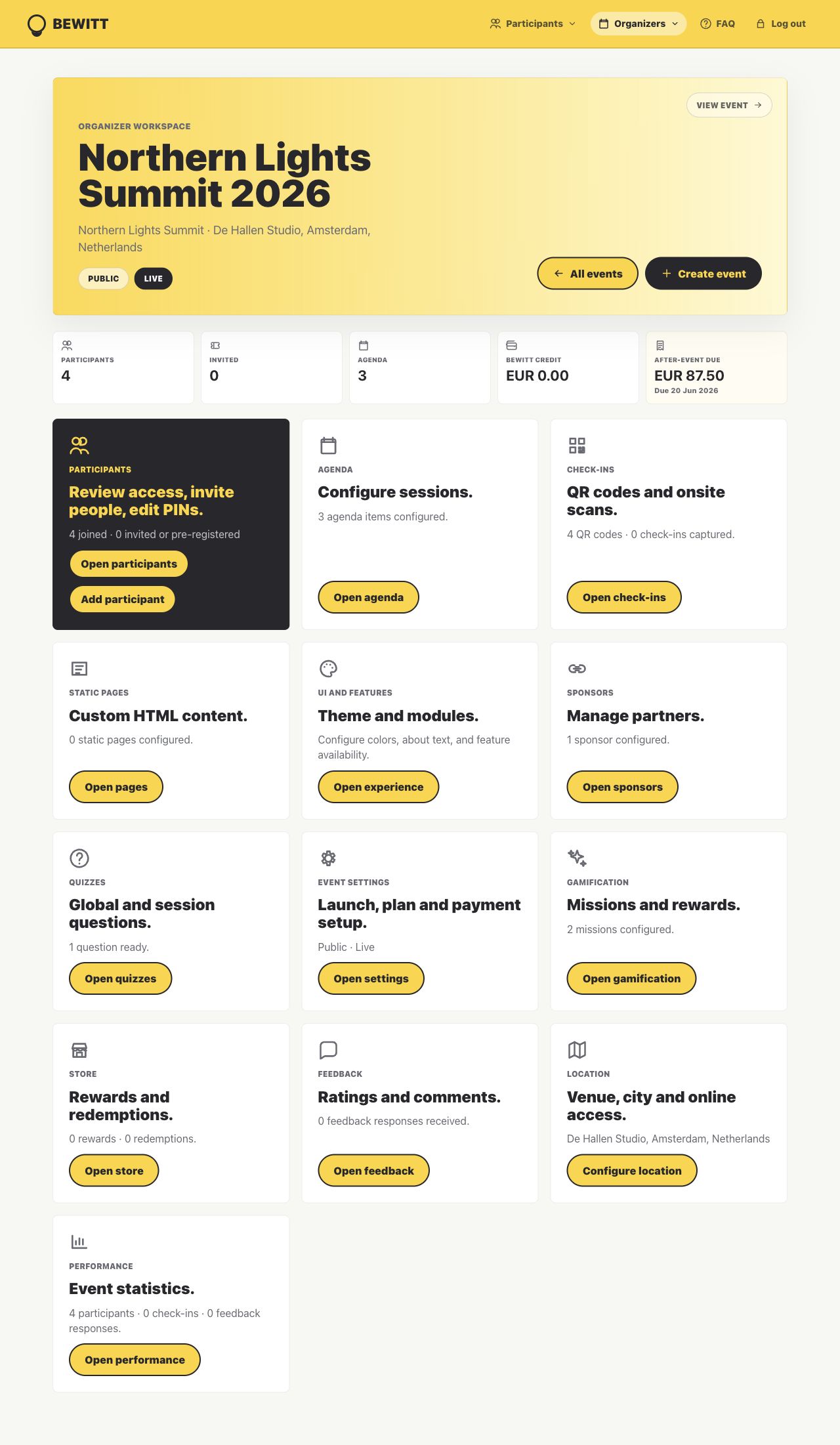
Bewitt is strongest when organizers need registrations, agenda changes, access, check-in, feedback, and reporting tied to the same event instead of spread across a ticketing tool, a spreadsheet, and a last-minute message thread.
Before the event
Registration pages, participant imports, access rules, agenda setup, speakers, sponsors, and branding start from one event record.
On event day
Participant lookup, QR check-ins, agenda changes, room/session activity, and practical updates stay close to the same workspace.
Afterwards
Attendance, feedback, ratings, engagement, and reporting signals are available without rebuilding the recap from scattered exports.