
Back to use cases
Use case
Community event management for meetups, user groups, and local communities.
Bewitt helps community organizers run meetups, user groups, non-profit events, and local community gatherings with registration, agenda, communication, engagement, check-in, and feedback in one place.
Community Events
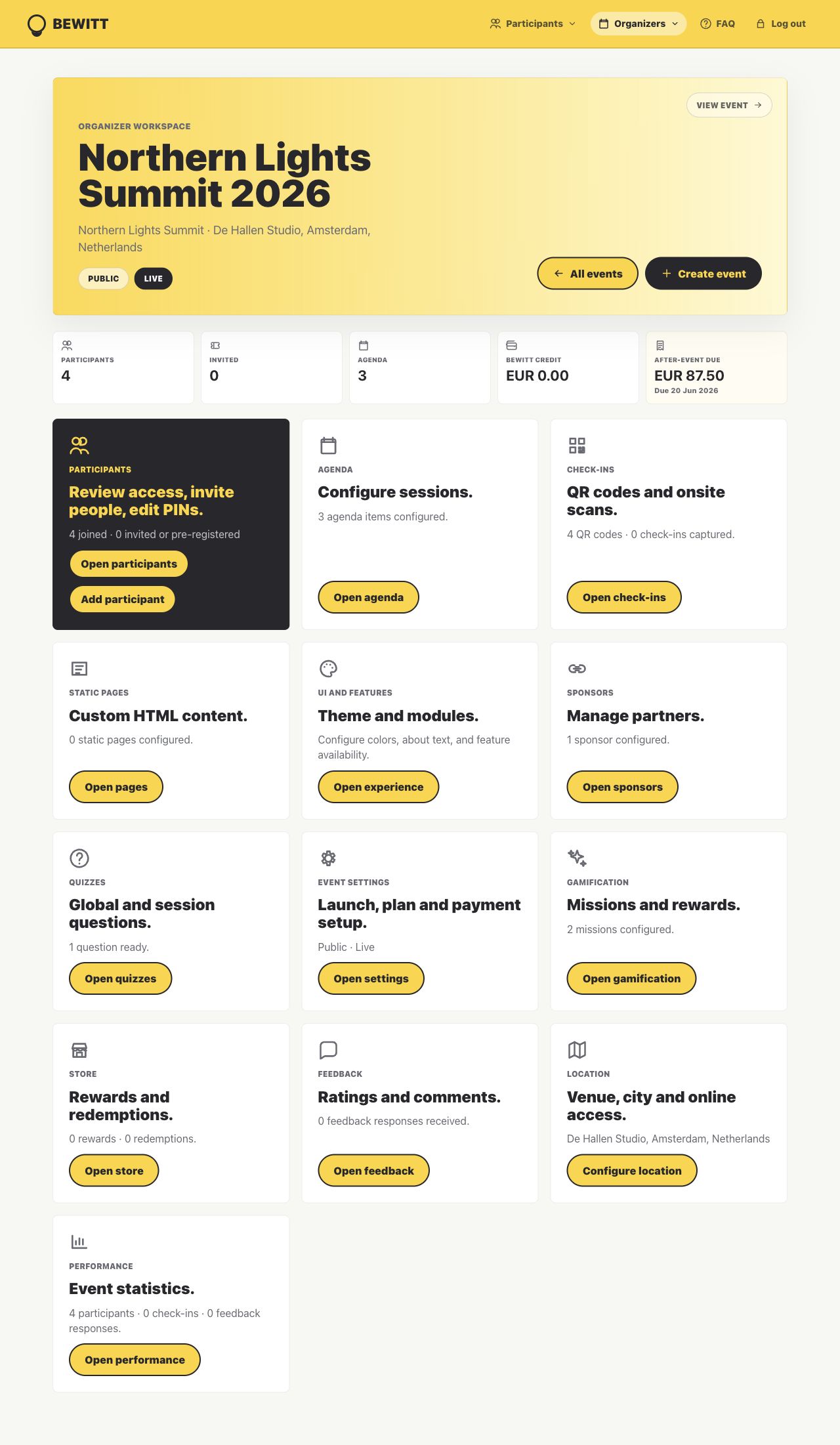
Bewitt keeps the organizer work close: page, registrations, agenda, access, check-ins, engagement, feedback, and reporting.
Registration, agenda, communication, check-in, feedback, and engagement without heavy event software overhead.
Organizers who want the community to feel close without losing the practical event details.
Product proof
This is more than a community events page.
Bewitt works best when the event has moving operational parts: the page people see, the registrations behind it, agenda changes, access, check-in, feedback, and the report organizers need afterwards.
Create the event once
The public page, registration path, access rules, agenda, speaker details, sponsors, and participant view stay attached to the same event workspace.
Keep changes close
When the list, agenda, rooms, or participant access changes, organizers have one operational record to check instead of several drifting versions.
Finish with evidence
Check-ins, attendance, feedback, ratings, engagement, and recap data remain available for reporting after the event ends.
Growing a Community Through Events
Community growth is easier when each event leaves the next one better prepared.
Bewitt keeps the practical event pieces together so organizers can spend more energy on the people in the room.
Growth makes the list harder to manage
A small meetup can survive in a chat thread. A growing community needs clearer registration, participant details, attendance, and follow-up.
Community events need consistency
Recurring meetups, user groups, and non-profit events work better when each event has a clear page, agenda, and participant record.
Engagement should feel natural
Community organizers need ways to encourage participation without turning the gathering into a noisy admin project.
Registration
Give people a clear way to join the next gathering.
Create event pages, collect registrations, manage participant access, and keep the community list from drifting across forms, chats, and spreadsheets.
Event pages
Publish the meetup, user group, or non-profit event with the details participants need.
Participant records
Keep registrations, attendance, and access connected to the same community event.
Free or paid formats
Run free community events or enable paid tickets when the event needs registration payments.
Agenda Management
Make the plan easy to follow without overbuilding the event.
Use Bewitt to share sessions, speakers, timings, locations, and updates for community formats that need more structure than a calendar invite.
Simple schedules
Share talks, workshops, networking time, sponsor moments, or community updates in one agenda.
Speaker details
Add hosts, presenters, organizers, and guests so participants know who is leading each moment.
Updates that stay findable
Keep timing and location changes attached to the event page instead of buried in chat.
Communication
Keep practical event information close to the community.
Give participants one event home for registration, agenda, location, online details, access, check-in, feedback, and follow-up.
One event home
Give the community a reliable place to find what is happening and what to do next.
Access details
Keep location, private access, or online joining details attached to the event.
Post-event signals
Collect feedback and attendance details that help plan the next gathering.
Engagement
Help participants do more than show up.
Use feedback, networking, QR moments, missions, quizzes, rewards, or simple prompts when they help the community connect.
Networking support
Make it easier for participants to meet, connect, and follow up after the event.
Feedback while it is fresh
Ask what worked before the event disappears into memory and a few photos.
Optional activities
Use quizzes, missions, points, or rewards when they fit the community culture.
Before/During/After Event Workflow
One community event record from signup to follow-up.
The point is not more admin. It is fewer scattered places to check when the event starts moving.
Publish the event page, open registration, add agenda details, invite participants, and make access clear.
Check people in, guide participants through the agenda, collect feedback, and use engagement where it helps the community connect.
Review attendance, feedback, ratings, and activity so the next meetup, user group, or community event is easier to run.
Pricing
Community event pricing that stays easy to explain.
Bewitt uses event-based pricing: €54.00 base fee, €5.50 per event day, and €0.55 per participant. Self-service community events are capped at 500 participants; larger community programs can request a custom quote.
€54.00 + €5.50 + €55.00
€54.00 + €11.00 + €137.50
€54.00 + €16.50 + €275.00
FAQ
Questions organizers ask before moving their event into Bewitt.
Can Bewitt be used for community events?
Yes. Bewitt supports community-driven events such as meetups, user groups, non-profit events, local community gatherings, and recurring member events.
Can I run a free community event on Bewitt?
Yes. Free events can still use registration, participant access, agenda, check-in, engagement, feedback, and reporting tools.
Does Bewitt support recurring community formats?
Bewitt helps organizers run repeated community events by keeping registrations, agenda details, participant activity, attendance, and feedback connected to each event.
Can Bewitt help participants connect?
Yes. Bewitt supports networking, QR moments, feedback, quizzes, missions, rewards, and other optional engagement tools when they fit the event.
How is Bewitt priced for community events?
Bewitt uses event-based pricing: €54.00 base fee, €5.50 per event day, and €0.55 per participant. Self-service events are capped at 500 participants, with custom quotes available above that.
Related use cases
Other event shapes organizers run with Bewitt.
Use Bewitt for Community Events
Ready to keep the event work in one place?
Start with the event page, then keep registrations, agenda, speakers, check-ins, engagement, feedback, and reporting connected as the event grows.
