Trade shows rarely struggle because of one dramatic failure. More often, they become difficult when small operational gaps pile up: slow check-in, unclear staff handoffs, missed exhibitor scans, inconsistent attendee information, or teams solving the same issue in different places.
A useful public signal here is simple: major regional trade shows continue opening their doors to business buyers, which reinforces a familiar operational reality. Trade shows still depend on fast registration, reliable lead capture, and clear on-site coordination.
For organisers, expo managers, and venue teams, the practical question is not which technology sounds modern. It is which features reduce friction when doors open and pressure rises.
The best event tech features are not the ones that look impressive in a demo. They are the ones that remove avoidable manual work during live show hours.
Why this matters for event operations
Trade shows are dense operating environments. Attendees arrive in waves, exhibitors expect measurable value, and frontline teams need to make quick decisions with limited time.
That means the most important event tech usually supports three connected jobs:
- getting people in quickly and accurately
- helping exhibitors capture and use buyer interest
- keeping staff aligned when conditions change on site
When those workflows are weak, the impact is immediate. Queues grow, exhibitors lose confidence, attendees ask more questions, and staff start relying on ad hoc fixes.
What the public signal tells us, and what it does not
From the source idea provided, the confirmed signal is narrow but relevant: active trade shows continue attracting business buyers, and that makes practical event operations a live concern, not a theoretical one.
That is enough to support a grounded discussion about which event tech features matter most in trade show delivery.
What this does not confirm on its own is:
- which specific platforms those shows use
- how deeply their systems are integrated
- what attendee volumes or exhibitor workflows they manage
- which tools performed best on site
- what measurable gains any one organiser achieved
That distinction matters. The broader signal supports the operational topic. It does not justify assuming one exact stack or workflow.
Evidence-aware planning starts with known operational pressure points, then evaluates technology by how well it handles them in practice.
Registration features that matter most
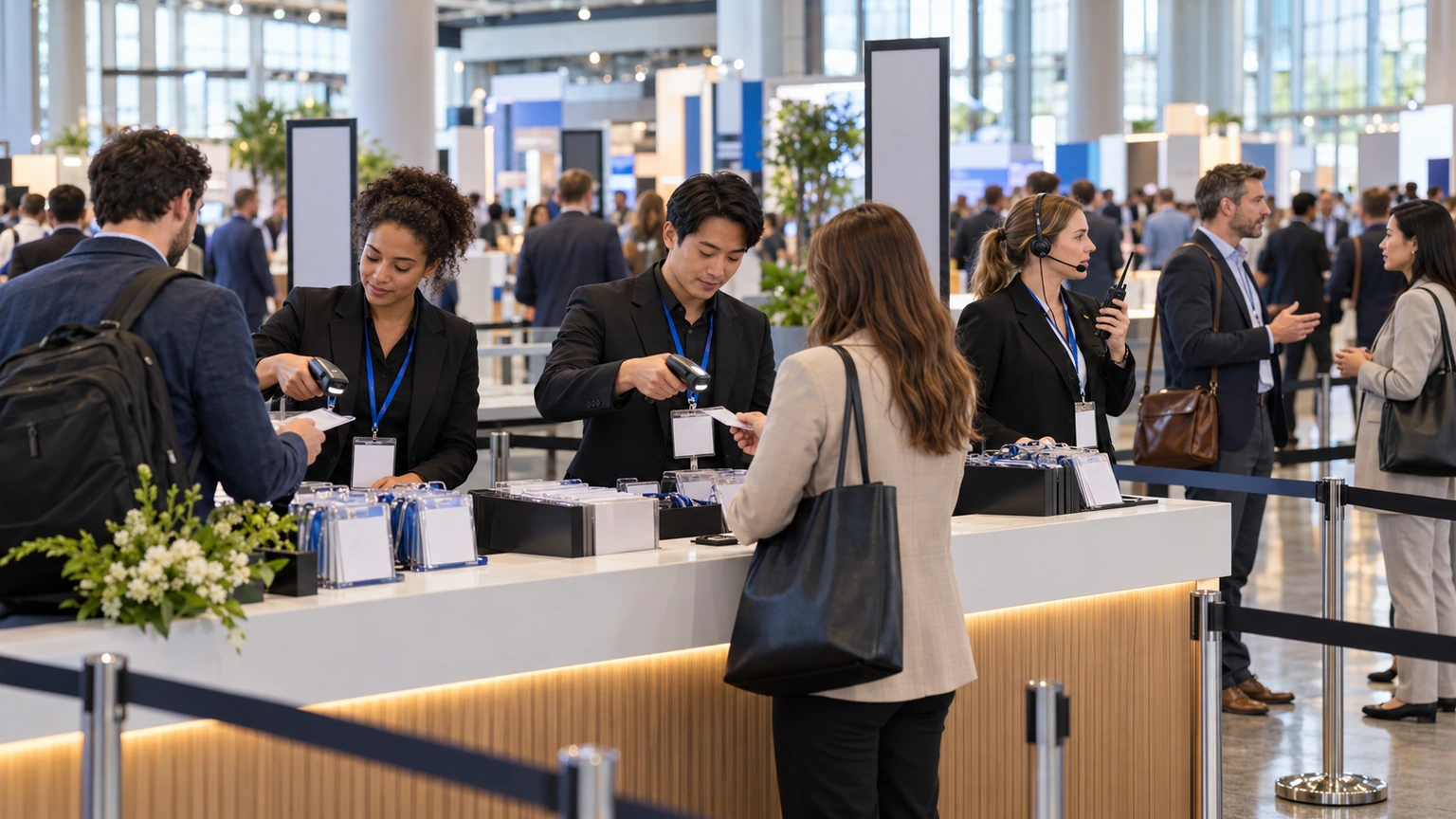
Registration is the first live test of whether an event feels organised. If it works, attendees move into the show with confidence. If it fails, every later touchpoint starts under pressure.
Fast check-in and badge handling
Speed matters, but speed alone is not enough. Teams also need accuracy and a clean exception process.
Useful registration features often include:
- quick attendee lookup by name, email, company, or confirmation reference
- badge printing or reprinting without long manual steps
- clear handling for corrections, duplicate records, and walk-ins
- separate flows for exhibitors, VIPs, speakers, staff, and general attendees when needed
The important operational question is simple: when the queue gets busy, can staff solve ordinary problems without escalating everything to one senior person?
Flexible registration rules
Trade shows often have multiple pass types, hosted buyers, conference add-ons, private meetings, or exhibitor allocations. Registration tools need to reflect that complexity clearly.
Features become useful when they help teams manage:
- different access categories
- approval or invitation-based attendance
- cutoff dates and capacity limits
- onsite upgrades or pass changes
If the rules live in one place but the check-in team sees another version, delays appear fast.
Reliable attendee records for frontline use
Onsite staff need current information, not a spreadsheet from yesterday evening. Whether someone has checked in, changed category, or needs support should be easy to confirm at the point of service.
That reduces queue friction and prevents unnecessary back-and-forth between registration, hospitality, and floor teams.
Lead retrieval features exhibitors actually need
Lead retrieval is easy to oversimplify. Organisers may see it as a scan tool, but exhibitors judge it more harshly. For them, it only matters if it helps convert booth traffic into useful follow-up.
Fast and dependable scanning
Exhibitors need a simple way to capture attendee details during live conversations. If scanning is slow, inconsistent, or confusing, usage drops.
Useful features often include:
- quick badge scanning with minimal taps
- clear confirmation that the lead was captured
- simple note-taking during or just after the conversation
- basic lead qualification fields, such as interest level or product area
If the workflow is too heavy, staff skip the notes and promise to remember details later. That usually means the quality of follow-up declines.
Lead context, not just lead volume
Exhibitors do not only want a list of names. They want enough context to act on the lead after the show.
That may mean recording:
- what product or topic the buyer asked about
- whether they requested a demo or quote
- how urgent the opportunity seems
- which team member spoke to them
Even a small amount of structured context can make post-show follow-up more realistic.
Operational trust for exhibitors
Exhibitors need confidence that their staff can learn the tool quickly and that captured leads will be available after the show in a usable format.
In practice, organisers should think about lead retrieval less as a technical add-on and more as an exhibitor success workflow.
On-site communication features that reduce confusion
Many show-day problems are not caused by missing effort. They are caused by teams working from different information.
On-site communication features matter because trade shows involve constant exceptions: delayed deliveries, room changes, queue spikes, VIP arrivals, exhibitor issues, staffing swaps, and health or security escalations.
Shared operational visibility
Teams need a clear way to see current information and updates. That can include registration status, staffing notes, issue escalation, and schedule changes.
The core requirement is not complexity. It is alignment. Everyone should be able to tell what changed, who owns the next action, and whether the issue is closed.
Clear routing for incidents and requests
When a problem appears on the floor, staff should not have to guess where it goes.
Useful communication workflows usually make it easier to route issues like:
- badge or entry exceptions
- exhibitor support needs
- speaker or session timing changes
- queue management problems
- lost property or attendee welfare issues
If every request ends up in a general chat thread, important details get buried.
Frontline-friendly updates
Updates need to be short, current, and easy to act on. Long messages are hard to use when staff are dealing with crowds.
Good on-site communication usually answers three questions quickly:
- what changed
- who is affected
- what staff should do now
How these three areas connect
Registration, lead retrieval, and on-site communication are often bought or managed separately. Operationally, they are linked.
For example:
- a registration delay changes queue management and staffing needs
- a badge issue affects exhibitor scanning and attendee access
- an unbriefed programme change increases help-desk pressure
- poor staff communication makes simple registration exceptions take longer
This is why organisers should evaluate workflows across the full event floor, not feature categories in isolation.
A feature can look strong on its own and still fail operationally if it depends on staff chasing updates across disconnected tools.
What organisers should test before event day
The safest time to discover friction is before the hall opens.
A practical pre-event review should cover:
- how long a standard check-in takes
- how a staff member handles a badge correction or reprint
- how an exhibitor captures, tags, and reviews a lead
- how an urgent floor issue is reported and assigned
- how teams are informed when access rules or timings change
- what fallback process exists if arrivals spike or a workflow slows down
These tests do not need to be elaborate. They need to be realistic.
Where teams often get this wrong
They prioritise features over operating conditions
A long feature list does not guarantee clean show delivery. Teams should ask how the system behaves under queue pressure, staff turnover, and live exceptions.
They underestimate exhibitor adoption
Lead retrieval only works if exhibitor teams can use it consistently. Training, simplicity, and clear value matter as much as the scanning function itself.
They treat communication as an afterthought
Many organisers focus on attendee-facing technology and leave internal coordination to improvised channels. That creates avoidable confusion once issues start moving across teams.
They do not plan for exceptions
Most operational strain comes from the edge cases: name mismatches, missing confirmations, shared booth staff, last-minute upgrades, and floor-level support requests. Those moments deserve deliberate workflow design.
A practical feature checklist for trade show organisers
- Registration: fast lookup, reprints, category handling, walk-in support, clear exception management
- Lead retrieval: quick scans, note capture, simple qualification, exhibitor-friendly workflow, usable post-show output
- On-site communication: current updates, issue routing, staff visibility, simple escalation, action clarity
- Operational fit: easy training, frontline usability, realistic fallback process, low manual duplication
What this means for event teams
Trade show technology should make the event floor easier to run, not more impressive to describe.
If organisers focus first on registration flow, exhibitor lead capture, and staff coordination, they usually make better technology decisions. Those are the workflows attendees and exhibitors feel directly, and they are often where operational credibility is won or lost.
The practical goal is not to collect more tools. It is to create fewer avoidable handoffs, fewer conflicting versions of the truth, and fewer day-of surprises.
That is what helps trade shows run smoothly.